
Ethical HackingMasterclass
Master the art of penetration testing and offensive cybersecurity. From fundamentals to advanced exploitation techniques, with interactive labs and real-world tools.
⚡ Start Learning
📋 What You'll Learn
This comprehensive course takes you from absolute beginner to intermediate pentester. Each module builds upon the last, providing a structured pathway through all critical domains of ethical hacking and cybersecurity.
🔍 Foundations
Cybersecurity fundamentals, hacker types, methodologies, and legal frameworks
🌐 Reconnaissance
OSINT, footprinting, Google Dorking, and comprehensive information gathering
📡 Scanning
Nmap mastery, port scanning, service enumeration, and banner grabbing
🕸️ Web Vulnerabilities
XSS, SQL Injection, CSRF, LFI/RFI, and the complete OWASP Top 10
💥 Exploitation
Metasploit framework, payloads, reverse shells, and privilege escalation
🔐 Cryptography
Hashing algorithms, password cracking, encryption, and specialized tools
📶 Networks & WiFi
Packet sniffing, ARP spoofing, WiFi attacks, and Man-in-the-Middle
🚪 Post-Exploitation
Persistence mechanisms, pivoting, data exfiltration, and covering tracks
🎭 Social Engineering
Phishing campaigns, pretexting, SET toolkit, and attack psychology
🛠️ Pro Tools
Burp Suite, Wireshark, John the Ripper, Hydra, certifications, and career paths
🧪 Interactive Hacking Lab
Practice directly in your browser with our built-in simulators: port scanner emulator, password strength analyzer, hash generator & identifier, Caesar cipher encoder/decoder with bruteforce mode, XSS payload detector, Base64/URL encoder, and network subnet calculator. These tools give you hands-on experience without needing to install anything.
This course is strictly for educational and defensive purposes. Never use these techniques against systems without explicit written authorization. Unauthorized hacking is illegal and carries severe legal consequences including prison time.
Foundations of Ethical Hacking
Everything you must know before you start hacking ethically.
🎯 What is Ethical Hacking?
Ethical Hacking (also called penetration testing or white-hat hacking) is the authorized practice of bypassing system security to identify potential data breaches and threats in a network. An ethical hacker uses the same tools, techniques, and methodologies that malicious hackers use — but with one critical difference: they have explicit permission from the system owner.
The goal of ethical hacking is not to cause harm, but to discover vulnerabilities before malicious actors do. Think of it like hiring a professional burglar to try to break into your house so you can fix the weak points in your security system. Companies pay thousands — even millions — of dollars annually to pentesters to find and fix their security weaknesses.
The practice of ethical hacking has become one of the most in-demand skills in the IT industry. According to the Bureau of Labor Statistics, information security analyst jobs are projected to grow 32% from 2022 to 2032, much faster than the average for all occupations. Companies like Google, Microsoft, Apple, and Meta all run bug bounty programs that pay independent security researchers for finding vulnerabilities in their products.
👤 Types of Hackers
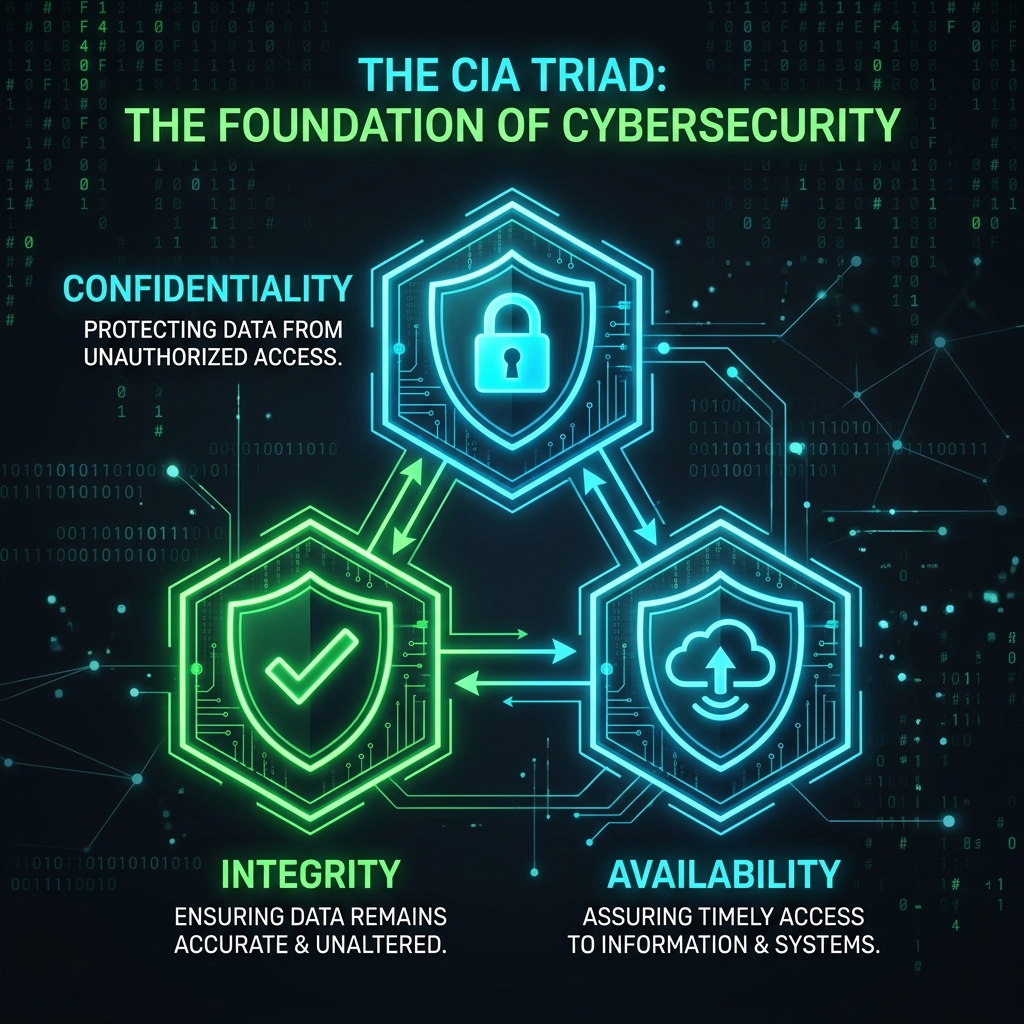
The cybersecurity community classifies hackers based on their intentions and legal standing. Understanding these distinctions is crucial because it defines the ethical and legal boundaries of your work:
| Type | Description | Legal Status |
|---|---|---|
| White Hat 🤍 | Ethical hackers who work with explicit authorization to improve security. They are employed by organizations or work as independent consultants, and their findings are shared with the system owner to fix vulnerabilities. | Legal |
| Black Hat 🖤 | Malicious hackers who exploit vulnerabilities without authorization for personal gain, financial theft, espionage, or simply to cause damage. Their activities are illegal and punishable by law. | Illegal |
| Grey Hat 🩶 | Operate in the grey area — they may find vulnerabilities without permission but don't have malicious intent. They might disclose the vulnerability publicly or to the company. Still legally risky. | Questionable |
| Red Team 🔴 | Offensive security team that performs realistic attack simulations against an organization. They test not just technical defenses, but also physical security, employee awareness, and incident response. | Legal (contracted) |
| Blue Team 🔵 | Defensive security team responsible for maintaining and improving an organization's security posture. They monitor networks, analyze threats, respond to incidents, and enforce security policies. | Legal |
| Bug Bounty Hunter 🏷️ | Independent researchers who search for vulnerabilities in companies that have public bug bounty programs (HackerOne, Bugcrowd). Rewards range from $50 to $500,000+ depending on severity. | Legal |
📐 The Penetration Testing Methodology
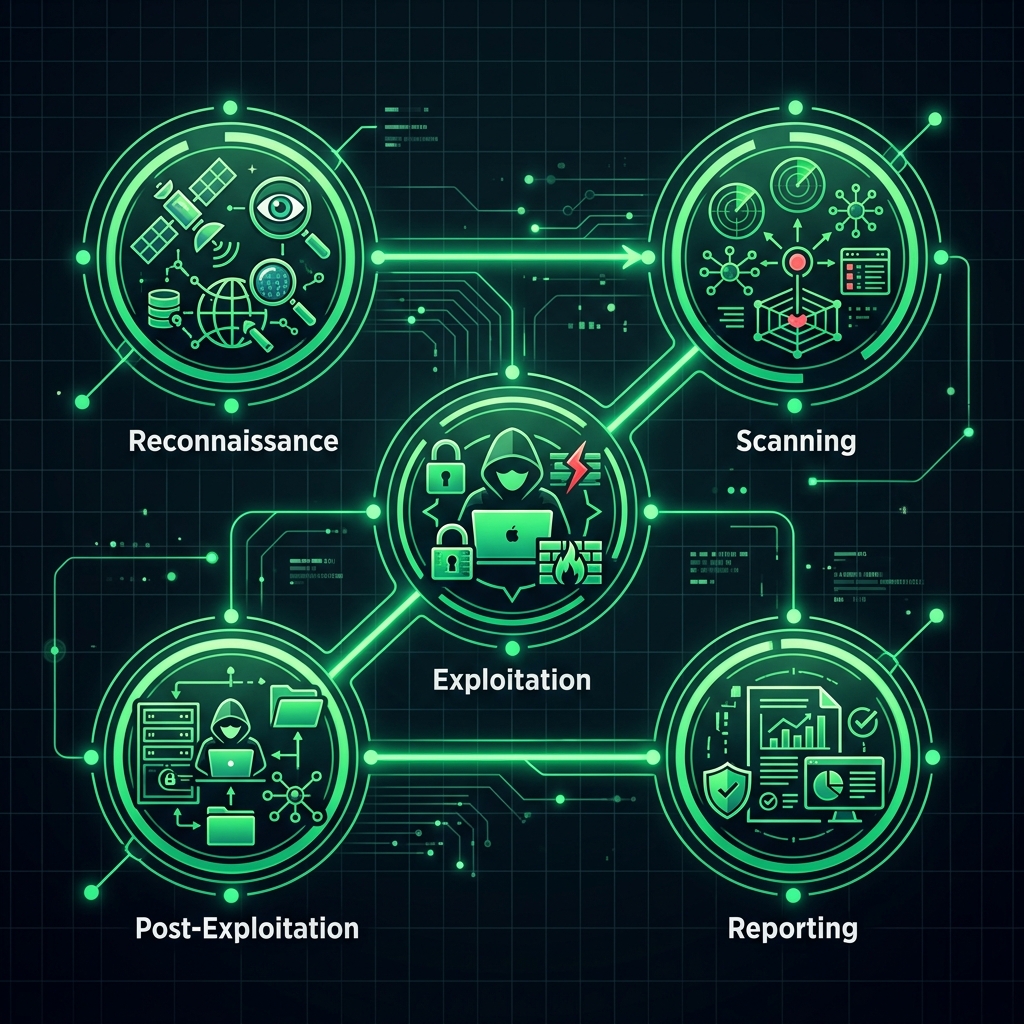
Every professional penetration test follows a structured methodology. This ensures nothing is missed, findings are reproducible, and the entire process is legally documented. The most widely used frameworks are PTES (Penetration Testing Execution Standard), OSSTMM, and OWASP Testing Guide. Here are the core phases:
Pre-Engagement & Scoping
Define the scope, rules of engagement, timeline, and legal authorization. This includes signing a Statement of Work (SoW) and getting written permission (sometimes called a "get out of jail free" letter).
Reconnaissance (Information Gathering)
Collect as much information about the target as possible. This includes passive OSINT (public records, social media, DNS records) and active reconnaissance (scanning, probing). The more you know, the more attack vectors you can identify.
Scanning & Enumeration
Identify open ports, running services, software versions, and potential entry points. This phase uses tools like Nmap, Nikto, and Gobuster to build a detailed map of the target's attack surface.
Vulnerability Analysis
Analyze the data gathered to identify known vulnerabilities. Cross-reference service versions with CVE databases, run vulnerability scanners (Nessus, OpenVAS), and research potential exploits.
Exploitation
Attempt to exploit discovered vulnerabilities to prove they are real and demonstrate impact. This might involve using Metasploit, custom scripts, or manual exploitation techniques to gain access to the system.
Post-Exploitation
After gaining access, explore what an attacker could do: escalate privileges, access sensitive data, pivot to other systems, and establish persistence. Document everything you find and the potential business impact.
Reporting & Remediation
Create a detailed professional report documenting all findings, proof of exploits, risk ratings (CVSS scores), and specific remediation recommendations. A good report is the most valuable deliverable of a pentest.
⚖️ Legal Framework & Ethics
Understanding the law is non-negotiable. As an ethical hacker, you must always operate within legal boundaries. The most important laws to know include:
- Computer Fraud and Abuse Act (CFAA) — United States federal law that criminalizes unauthorized access to computer systems. Penalties include fines up to $250,000 and up to 20 years in prison.
- Computer Misuse Act 1990 — UK law covering unauthorized access, intent to commit further offences, and unauthorized modification of computer material.
- GDPR (General Data Protection Regulation) — EU regulation that governs how personal data is processed. If you discover personal data during a pentest, you have strict obligations about how you handle it.
- Convention on Cybercrime (Budapest Convention) — International treaty on combating cybercrime, adopted by over 60 countries.
Always get written authorization before performing any security testing. A verbal agreement is NOT sufficient. Professional pentesters use formal contracts, Statements of Work, and Rules of Engagement documents to protect both themselves and their clients.
🖥️ Setting Up Your Lab: Kali Linux
Kali Linux is the industry-standard operating system for penetration testing. Maintained by Offensive Security, it comes preloaded with over 600 security tools including Nmap, Metasploit, Burp Suite, Wireshark, John the Ripper, and many more. Here's how to get started:
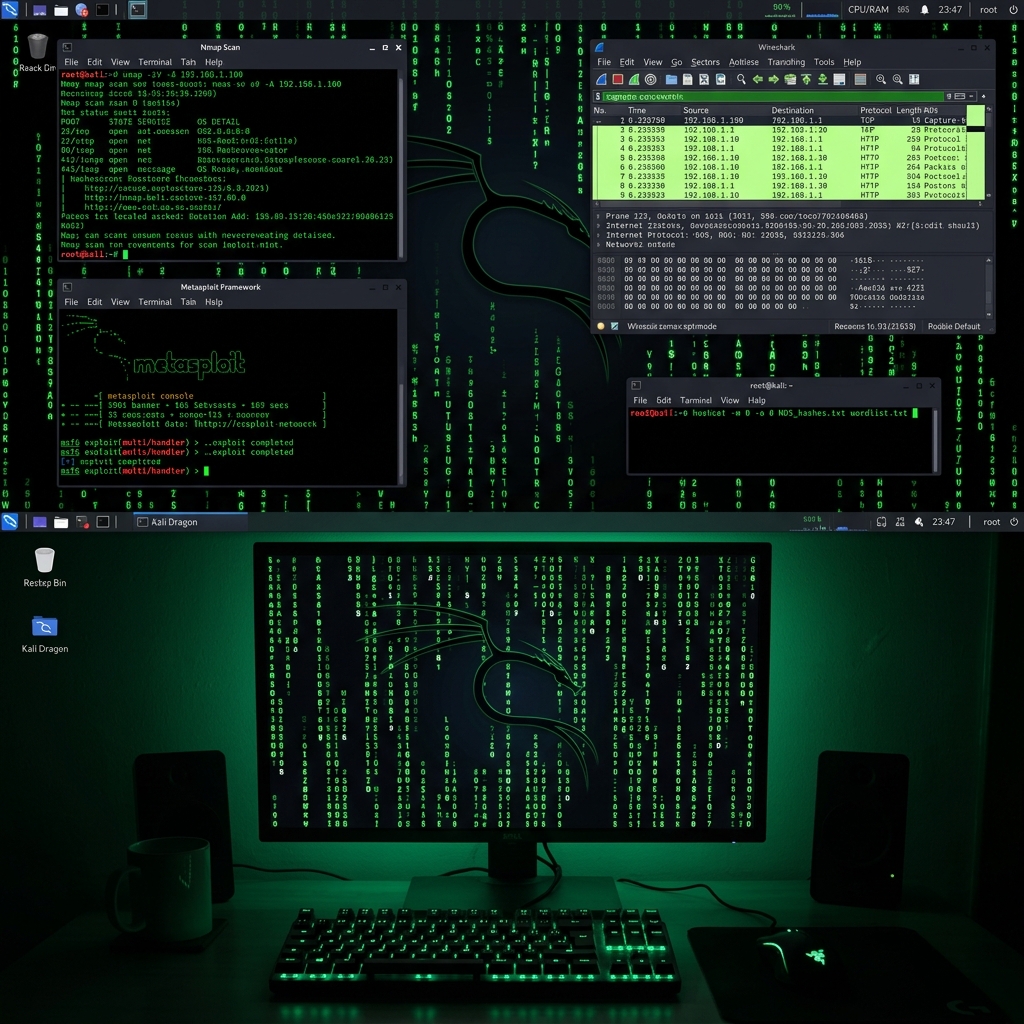
If you don't want to install Kali on your machine, use VirtualBox or VMware to create a virtual machine. Offensive Security also provides pre-built VM images. For cloud-based labs, try TryHackMe or HackTheBox — they provide ready-made vulnerable machines you can attack legally.
🎬 Video: Introduction to Ethical Hacking
Set up your own hacking lab: Install VirtualBox, download Kali Linux VM, and also download Metasploitable 2 (a purposely vulnerable machine). Get both VMs running and verify they can communicate on the same network. This will be your practice environment throughout this course.
Reconnaissance & OSINT
The most critical phase: gathering every piece of information about your target.
🔍 Understanding Reconnaissance
Reconnaissance (often called "recon") is the first and most important phase of any penetration test. The information gathered during this phase directly determines which attack vectors are available and how effective your exploitation attempts will be. Professional pentesters typically spend 40-60% of their total engagement time on reconnaissance.
Reconnaissance is divided into two fundamental categories:
- Passive Reconnaissance: Gathering information without directly interacting with the target. This includes OSINT (Open Source Intelligence), searching public records, social media analysis, DNS lookups, and using third-party services like Shodan or Censys. The target has no way of knowing you are gathering information about them.
- Active Reconnaissance: Directly interacting with the target system. This includes port scanning, ping sweeps, banner grabbing, and vulnerability scanning. The target may detect your activities through IDS/IPS systems and log monitoring.
🌐 Google Dorking (Google Hacking)
Google is one of the most powerful reconnaissance tools available — and it's completely free. Google Dorks are advanced search queries that use special operators to find information that shouldn't be publicly accessible. Organizations accidentally expose sensitive files, admin panels, database dumps, and configuration files that Google happily indexes.
The Google Hacking Database (GHDB) at exploit-db.com contains thousands of pre-built dorks for finding specific types of vulnerabilities. Here are some of the most useful ones:
🛠️ Essential Reconnaissance Tools
| Tool | Purpose | Type |
|---|---|---|
| WHOIS | Domain registration information — owner, registrar, nameservers, dates | Passive |
| theHarvester | Harvest emails, subdomains, IPs, URLs from multiple public sources | Passive |
| Maltego | Visual link analysis and entity mapping — shows relationships between data | Passive |
| Shodan | Search engine for internet-connected devices — finds open ports, services, IoT | Passive |
| Recon-ng | Full-featured modular reconnaissance framework with 80+ modules | Passive/Active |
| Sublist3r | Fast subdomain enumeration using search engines and DNS | Passive |
| Amass | Advanced subdomain enumeration and infrastructure mapping (OWASP) | Active/Passive |
| SpiderFoot | Automated OSINT collection from 200+ data sources | Passive |
| Censys | Internet-wide scanning platform for discovery and monitoring | Passive |
🎬 Video: Linux for Ethical Hackers

Practice OSINT on yourself! Use theHarvester, WHOIS, and Google Dorks to see what information about you or your organization is publicly available. You might be surprised at what you find. Document your findings and think about what an attacker could do with this information.
Scanning & Enumeration
Discover open ports, running services, and potential entry points into your target.
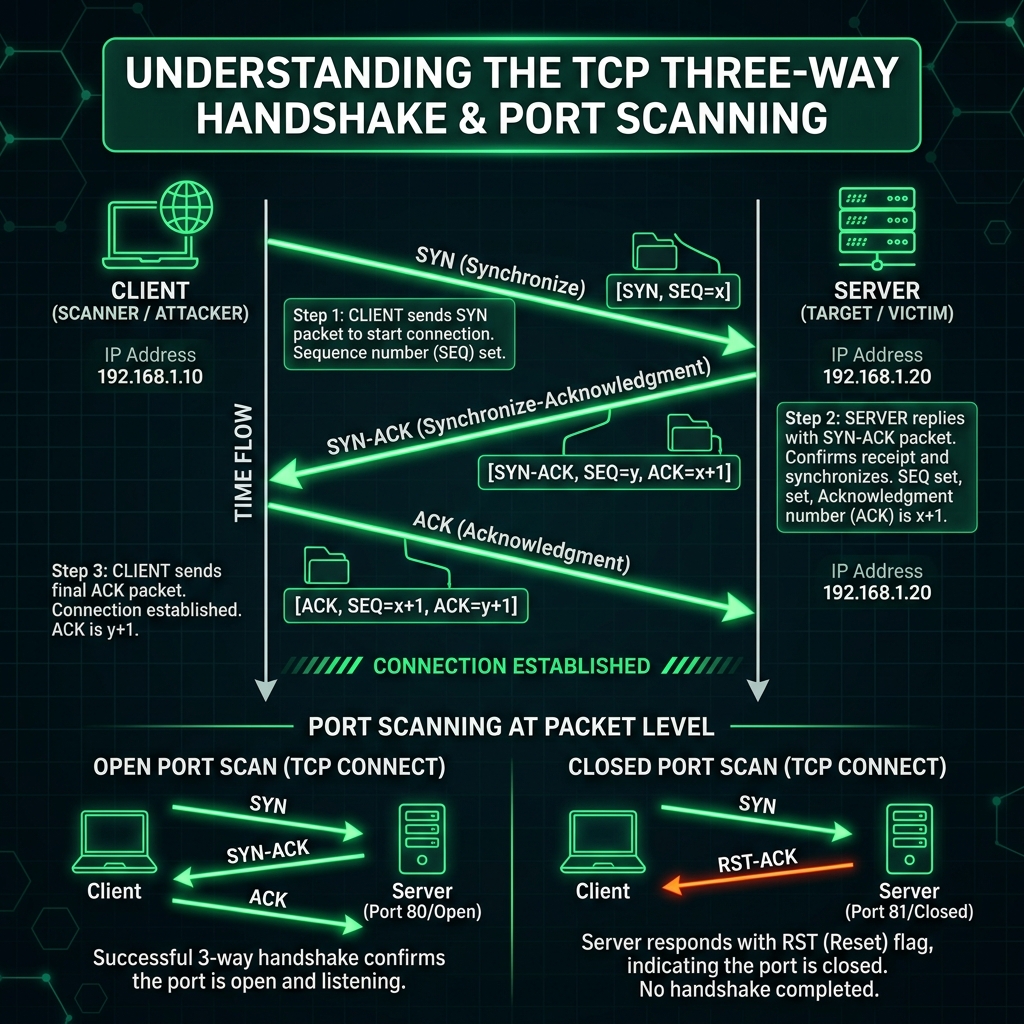
📡 Nmap — The King of Network Scanning
Nmap (Network Mapper) is the single most important tool in a pentester's arsenal. Created by Gordon "Fyodor" Lyon in 1997, it has become the gold standard for network discovery and security auditing. Nmap can discover hosts, open ports, running services, service versions, operating systems, and even run sophisticated vulnerability detection scripts.
Understanding Nmap deeply is a core skill that separates amateur hackers from professionals. The tool is incredibly versatile — from simple ping sweeps of thousands of hosts to complex, stealthy scans that evade intrusion detection systems.
📊 Nmap Scan Types Explained
| Flag | Type | Description | Stealthiness |
|---|---|---|---|
-sS | SYN Scan | Sends SYN, receives SYN/ACK, sends RST — never completes handshake | High |
-sT | TCP Connect | Full TCP handshake — more reliable but more visible in logs | Low |
-sU | UDP Scan | Scans UDP ports — slow but finds services like DNS, SNMP, DHCP | Medium |
-sA | ACK Scan | Determines firewall rulesets — stateful vs stateless filtering | High |
-sN | NULL Scan | No flags set — can bypass basic firewalls | High |
-sX | XMAS Scan | FIN+PSH+URG flags — "lights up like a Christmas tree" | High |
-sV | Version Detection | Probes services to identify software and version numbers | Medium |
🔧 Service Enumeration
After discovering open ports, the next step is enumeration — extracting detailed information from each service. Different protocols require different enumeration techniques:
Always save your Nmap results with -oA (all formats). This gives you normal output (.nmap), XML (.xml) for importing into other tools, and grepable format (.gnmap). You'll reference these results throughout the entire engagement.
🎬 Video: Nmap Complete Tutorial

Web Vulnerabilities
The most exploited vulnerabilities in web applications — OWASP Top 10.
🕸️ OWASP Top 10 (2021)
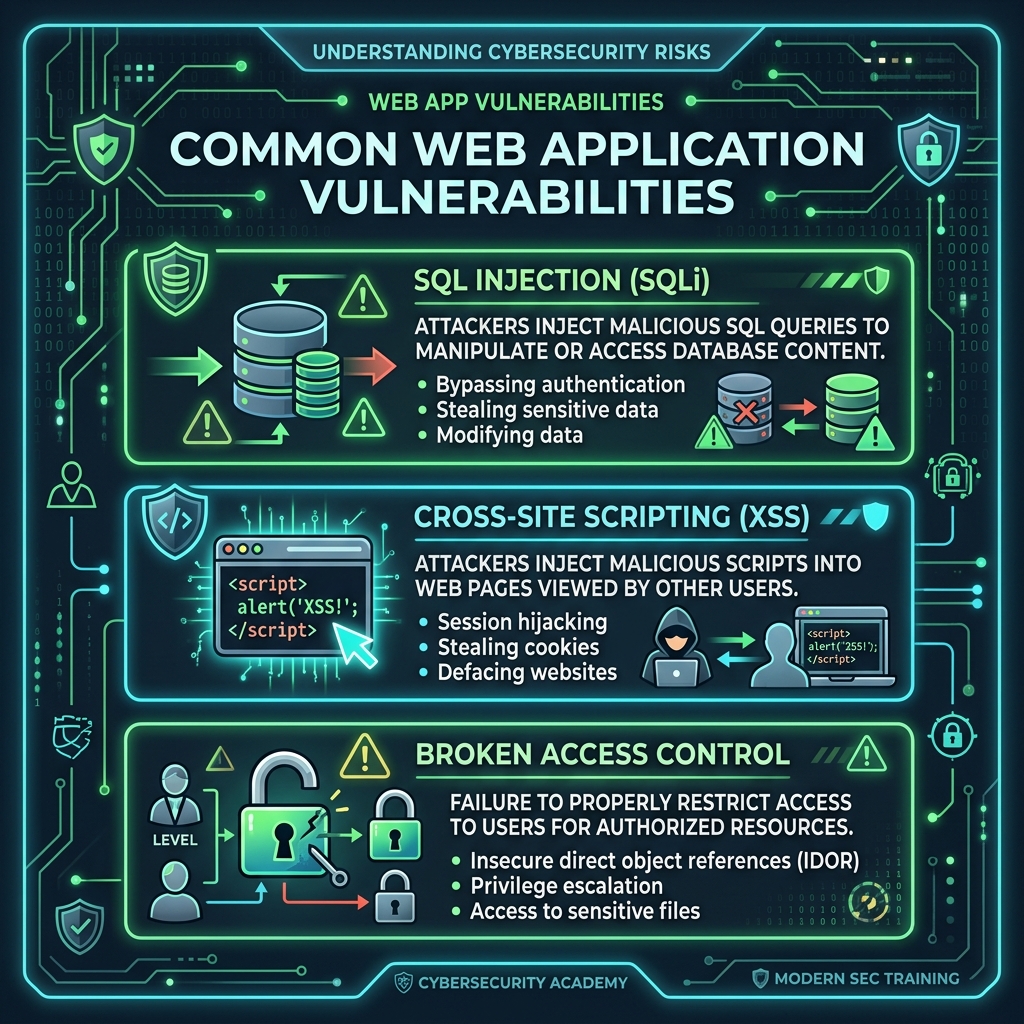
The OWASP Top 10 is the definitive reference list of the most critical web application security risks. Published by the Open Web Application Security Project, it's updated every few years based on real-world breach data from hundreds of organizations. Understanding these vulnerabilities is essential for any pentester:
Broken Access Control
Users can act outside their intended permissions — accessing other users' data, modifying records, or performing administrative functions.
Cryptographic Failures
Sensitive data exposed due to weak/missing encryption — passwords stored in plaintext, using MD5/SHA-1, missing HTTPS.
Injection (SQLi, XSS, etc.)
User-supplied data is interpreted as code by the application — SQL injection, XSS, command injection, LDAP injection.
Insecure Design
Fundamental design and architecture flaws that can't be fixed with perfect implementation. Missing threat modeling.
Security Misconfiguration
Default credentials, unnecessary services, overly verbose error messages, missing security headers.
Vulnerable Components
Using libraries, frameworks, or dependencies with known vulnerabilities that haven't been patched.
Auth & Session Failures
Weak authentication mechanisms, session fixation, missing brute-force protection, insecure session management.
Software & Data Integrity
Untrusted data deserialization, software updates without integrity verification, CI/CD pipeline compromise.
Logging & Monitoring Failures
Insufficient logging, no alerting, and inability to detect, escalate, or respond to active attacks.
Server-Side Request Forgery
Application fetches remote resources without validating user-supplied URLs, enabling internal network access.
💉 SQL Injection (SQLi) — Deep Dive
SQL Injection occurs when user input is inserted directly into SQL queries without proper sanitization. It remains one of the most devastating and common web vulnerabilities, capable of exposing entire databases, bypassing authentication, and even executing system commands.
📜 Cross-Site Scripting (XSS)
XSS allows attackers to inject malicious client-side scripts into web pages viewed by other users. It can be used to steal cookies, hijack sessions, redirect users, deface websites, or install keyloggers. There are three main types:
- Reflected XSS: The payload is included in the request and reflected back in the response (e.g., in URL parameters). Requires social engineering to get the victim to click a crafted link.
- Stored XSS: The payload is permanently stored on the target server (e.g., in a database, comment field, user profile). Every user who views the affected page is attacked automatically.
- DOM-based XSS: The payload is executed entirely on the client side through JavaScript DOM manipulation — the server never sees it.
Always sanitize and escape user input. Use Content Security Policy (CSP) headers, HttpOnly cookies, and output encoding functions like htmlspecialchars() (PHP), DOMPurify.sanitize() (JS), or template engine auto-escaping. Never use innerHTML with user data.
🎬 Video: Web Application Hacking

Exploitation with Metasploit
The world's most powerful exploitation framework — from exploit to shell.
💥 The Metasploit Framework
Metasploit is the world's most widely used exploitation framework. Originally created by H.D. Moore in 2003, it now contains thousands of exploit modules, payloads, auxiliary tools, and post-exploitation modules. It's maintained by Rapid7 and is available in both free (Framework) and commercial (Pro) editions.
Metasploit provides a complete workflow for exploitation: find a vulnerability, select an exploit, choose a payload (the code that runs after exploitation), configure options, and execute. Its modular architecture means you can mix and match components for virtually any scenario.
🐚 Meterpreter — The Post-Exploitation Shell
Meterpreter is Metasploit's most advanced payload. It runs entirely in memory (no files written to disk), provides encrypted communication, and offers extensive post-exploitation capabilities:
🔄 Reverse Shells — Beyond Metasploit
A reverse shell makes the target connect back to your machine, bypassing firewalls that block incoming connections. Here are the most commonly used one-liners:
Always practice exploitation in controlled environments: Metasploitable 2/3, DVWA, VulnHub, TryHackMe, or HackTheBox. Never attack real systems without explicit written authorization.
🎬 Video: Full Ethical Hacking Course — Exploitation

🎬 Video: What is Metasploit?

Passwords & Cryptography
Hashing, cracking, encryption, and their real-world vulnerabilities.
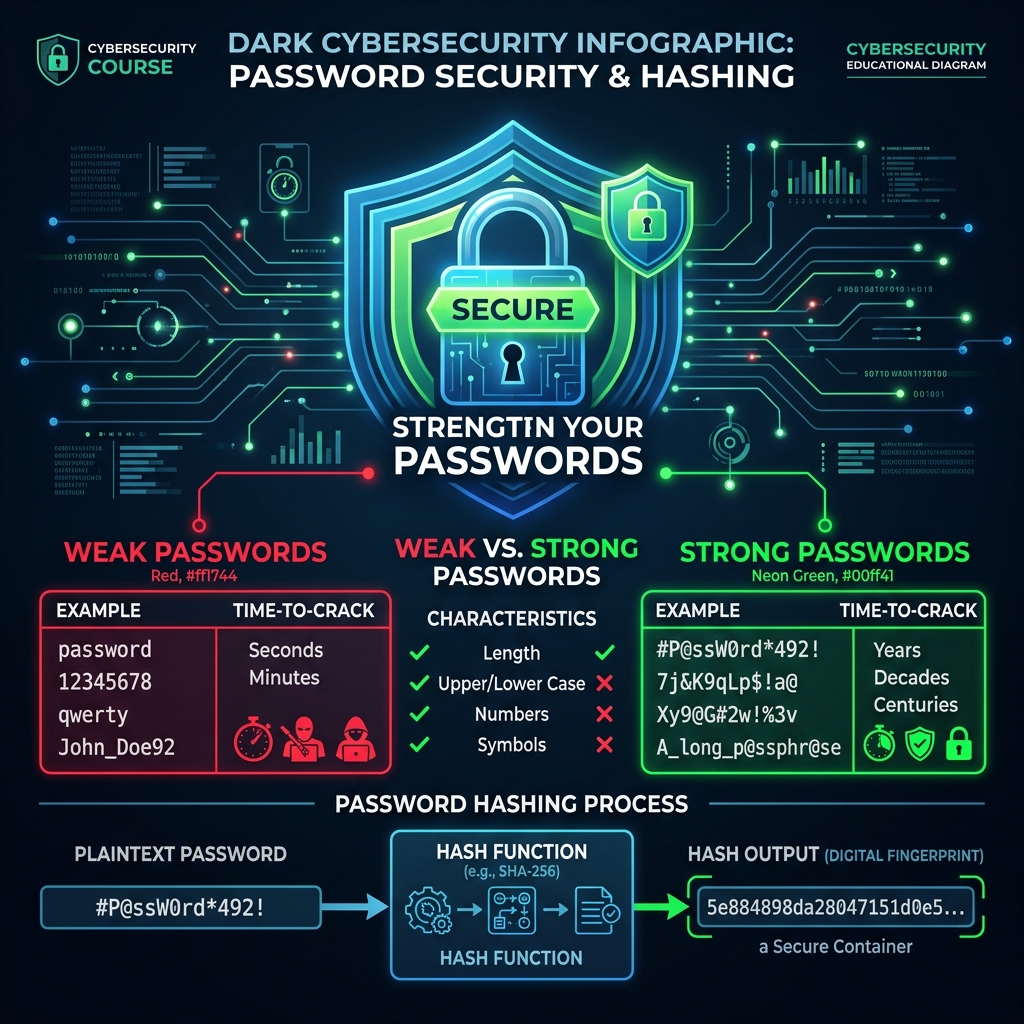
🔐 Hashing vs Encryption
Understanding the fundamental difference between hashing and encryption is critical:
- Hashing: A one-way mathematical function. You can't reverse a hash to get the original input. Used for password storage and data integrity verification. Examples: MD5, SHA-256, bcrypt, Argon2.
- Encryption: A two-way function — you can encrypt data and decrypt it with the correct key. Used for protecting data in transit and at rest. Examples: AES-256, RSA, ChaCha20.
| Algorithm | Type | Output Length | Security Status |
|---|---|---|---|
| MD5 | Hash | 128 bits (32 hex chars) | ⛔ Broken — Do NOT use |
| SHA-1 | Hash | 160 bits (40 hex chars) | ⛔ Broken — collision found |
| SHA-256 | Hash | 256 bits (64 hex chars) | ⚠️ Secure but too fast for passwords |
| bcrypt | Hash (adaptive) | 60 chars | ✅ Recommended for passwords |
| Argon2 | Hash (adaptive) | Variable | ✅ Best option — PHC winner |
| AES-256 | Symmetric encryption | Same as input | ✅ Industry standard |
| RSA-4096 | Asymmetric encryption | 512 bytes | ✅ Robust (for now) |
🔨 Password Cracking Methods
Passwords are typically stored as hashes. Cracking means finding the original password that produces a given hash. There are several approaches:
- Dictionary Attack: Try every word in a wordlist (like rockyou.txt — 14 million passwords from a real breach)
- Brute Force: Try every possible combination of characters — guaranteed to find it, but can take billions of years
- Rule-based Attack: Apply transformations to dictionary words (capitalize, add numbers, replace letters: password → P@ssw0rd!)
- Rainbow Tables: Pre-computed hash→password lookup tables. Fast but defeated by salting.
🎬 Video: How Encryption Works

Network & WiFi Hacking
Network attacks, packet sniffing, ARP spoofing, and wireless security.
📶 WiFi Security & Attacks
WiFi networks are one of the most common attack vectors. Wireless security protocols have evolved over time: WEP (broken in minutes) → WPA (vulnerable) → WPA2 (current standard, crackable with handshake capture) → WPA3 (latest, most secure but still being tested).
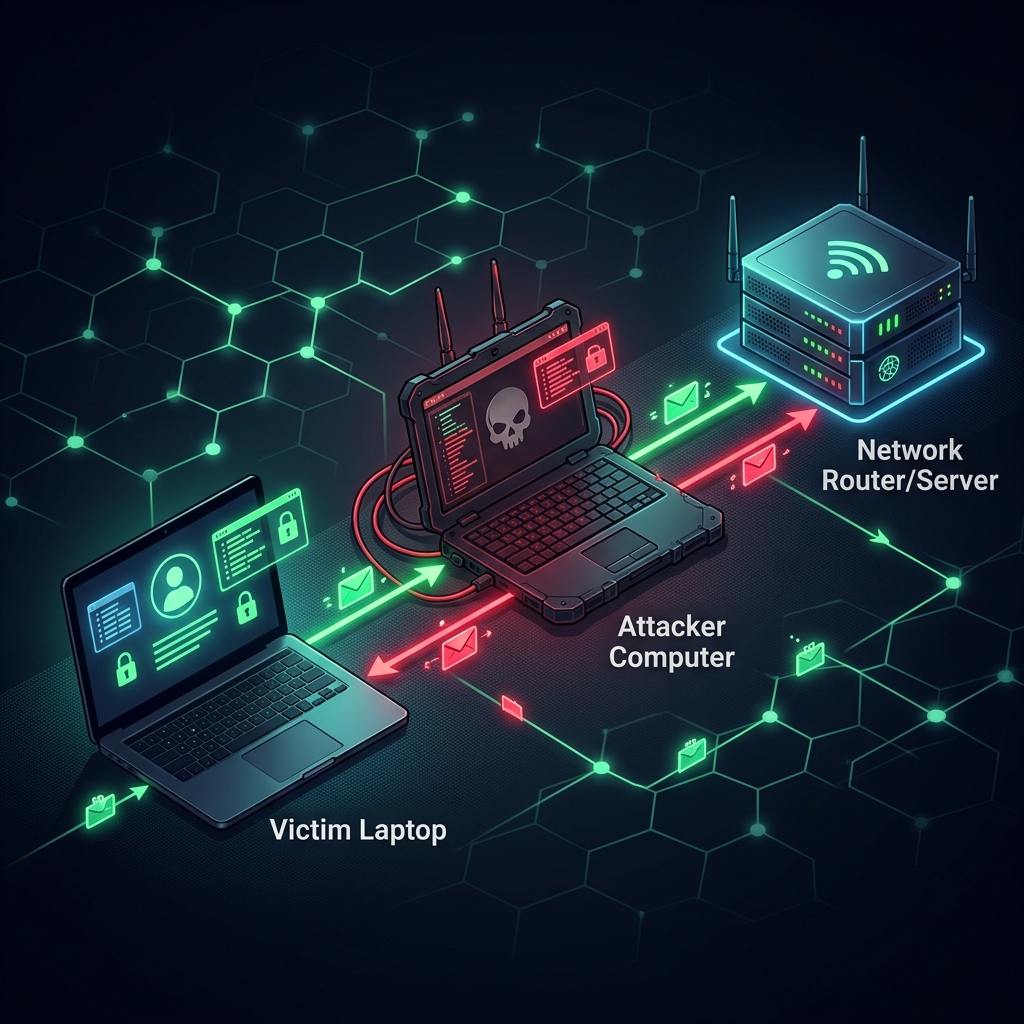
🕵️ Man-in-the-Middle (MitM) Attacks
A MitM attack intercepts communication between two parties without their knowledge. The attacker secretly relays and possibly alters the communication. The most common method on local networks is ARP Spoofing:
🎬 Video: WiFi Hacking Tutorial

Post-Exploitation & Persistence
What happens after you gain access — escalation, persistence, and data exfiltration.
🚪 Privilege Escalation
After gaining initial access, you typically have limited user privileges. Privilege escalation is the process of gaining higher-level permissions — usually root (Linux) or SYSTEM/Administrator (Windows). This is one of the most important skills in pentesting.
🧹 Covering Your Tracks
A professional pentester always documents and cleans up their activities. In a real engagement, you must restore the system to its original state and document everything in your report.
Always document every single change you make to target systems. A good pentest report includes exactly what was modified and step-by-step instructions for reverting changes. Professionalism is what separates ethical hackers from criminals.
🎬 Video: Network Penetration Testing

Social Engineering
The art of hacking minds — the weakest link is always the human.
🎭 What is Social Engineering?
Social engineering is the psychological manipulation of people into performing actions or divulging confidential information. It's considered the most effective attack vector because it exploits human nature rather than technical vulnerabilities. According to Verizon's Data Breach Investigations Report, over 74% of all breaches involve the human element.
Even the most hardened, technically secure organization can be compromised through a single employee who clicks a malicious link, gives out their password over the phone, or holds the door open for an unauthorized person.
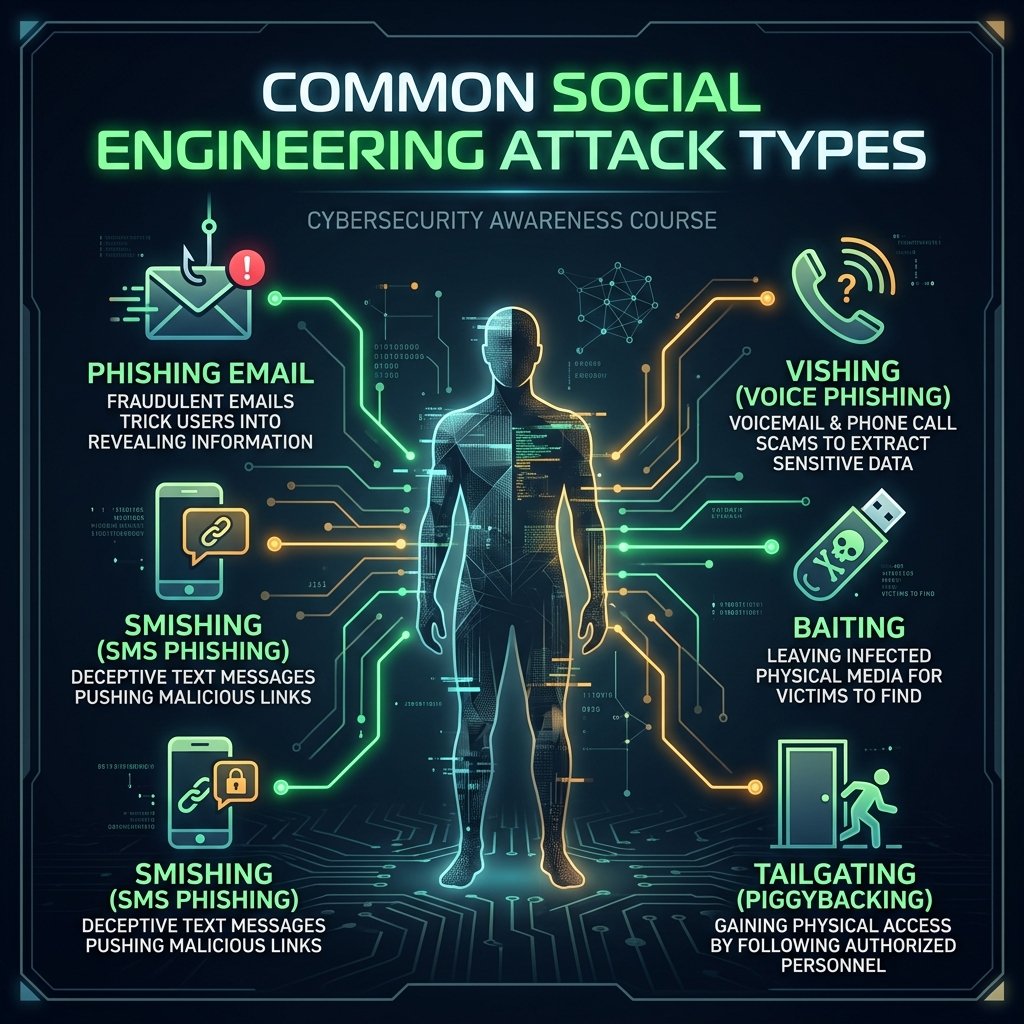
🎣 Types of Social Engineering Attacks
📧 Phishing
Fake emails impersonating legitimate organizations to steal credentials, install malware, or trigger wire transfers. The most common attack vector.
🎯 Spear Phishing
Highly targeted phishing aimed at specific individuals using personalized information gathered from OSINT research.
📱 Vishing
Voice phishing — fraudulent phone calls where attackers impersonate IT support, banks, or government agencies.
💬 Smishing
SMS phishing with malicious links. Often claims to be package delivery notifications, bank alerts, or account verifications.
🍯 Baiting
Leaving infected USB drives in strategic locations (parking lots, lobbies). Curiosity drives people to plug them in and execute the payload.
🚪 Tailgating
Following authorized personnel through secure doors or checkpoints. Often done while carrying heavy boxes to trigger someone to hold the door.
🛡️ Defense Strategies
Verify the Sender
Always check email addresses and URLs carefully
Enable 2FA/MFA
Multi-factor authentication on all accounts
Security Training
Regular awareness programs for employees
Never Share Passwords
No legitimate company will ask for yours
Hover Before Clicking
Check link destinations before clicking
Unknown USB Devices
Never connect unknown storage devices
🎬 Video: Real Social Engineering in Action

Professional Tools & Certifications
The complete pentester toolkit and career advancement paths.
🛠️ The Pentester's Arsenal
| Tool | Category | Description |
|---|---|---|
| Burp Suite | Web | Intercepting proxy and comprehensive web vulnerability scanner |
| Wireshark | Network | Deep packet inspection and network protocol analyzer |
| Nmap | Scanning | Network discovery and security auditing |
| Metasploit | Exploitation | The most widely used exploitation framework |
| John the Ripper | Passwords | Versatile CPU-based password cracking |
| Hashcat | Passwords | GPU-accelerated password recovery |
| Hydra | Passwords | Fast online login brute-forcer (SSH, HTTP, FTP...) |
| sqlmap | Web | Automatic SQL injection detection and exploitation |
| Gobuster/ffuf | Web | Directory and file brute-forcing tools |
| Aircrack-ng | WiFi | Complete WiFi security auditing suite |
| BloodHound | Active Directory | AD attack path mapping and visualization |
| Ghidra | Reverse Engineering | NSA's open-source software reverse engineering tool |
| Volatility | Forensics | Advanced memory forensics framework |
| CrackMapExec | Network | Swiss army knife for pentesting Windows/AD |
📜 Recommended Certifications
🏅 CompTIA Security+
The foundational cybersecurity certification. Great starting point — covers networks, threats, and security concepts.
🏅 eJPT (eLearnSecurity)
Junior Penetration Tester. Practical, hands-on exam that tests real-world skills on a live network.
🏅 CEH (EC-Council)
Certified Ethical Hacker — the most widely recognized ethical hacking certification globally.
🏅 OSCP (OffSec)
Offensive Security Certified Professional — the gold standard. 24-hour hands-on practical exam.
🎬 Video: Burp Suite Basics

🎬 Video: Wireshark for Beginners
Interactive Hacking Lab
Practice hacking safely right in your browser — no installation needed.
📡 Port Scanner Simulator
🔐 Password Strength Analyzer
#️⃣ Hash Generator & Identifier
🔍 Hash Identifier:
🔄 Caesar Cipher (Encoder/Decoder)
🕷️ XSS Payload Detector
Enter a user input to detect if it contains malicious XSS payloads:
📦 Base64 / URL Encoder & Decoder
🌐 Subnet Calculator
Final Exam
Prove what you've learned. You need 70% to earn your certificate.